 Auraz Tech
How to Activate VoLTE on Your Android Phone in Pakistan (2026): Jazz, Zong, Telenor & Ufone Setup Guide
You know the routine by now. You are on an important call — your bank, a job interview, your mother calling from the village — and the voice on the other end turns robotic, words vanish mid-sentence, and then silence. You stare at the phone. The call dropped. When you dial back, your mobile data is dead for a minute too, because your phone fell off 4G onto 2G/3G to place the call and is now crawling its way back.
There is a fix for most of this, and it is already built into your phone: VoLTE — Voice over LTE. When it is working, your calls travel over the 4G network instead of the ancient 2G/3G voice network. That means clearer, HD-quality voice, calls that connect in a second or two, and — the part most people notice first — your internet keeps working during the call. No more losing WhatsApp for the entire duration of a phone call. This guide covers what VoLTE is, the four things it needs to work, how to check it and switch it on for Samsung, Xiaomi, Infinix, Tecno, Pixel, Oppo, Realme and Vivo, carrier-specific activation steps for Jazz, Zong, Telenor and Ufone, and what to do when it refuses to work.
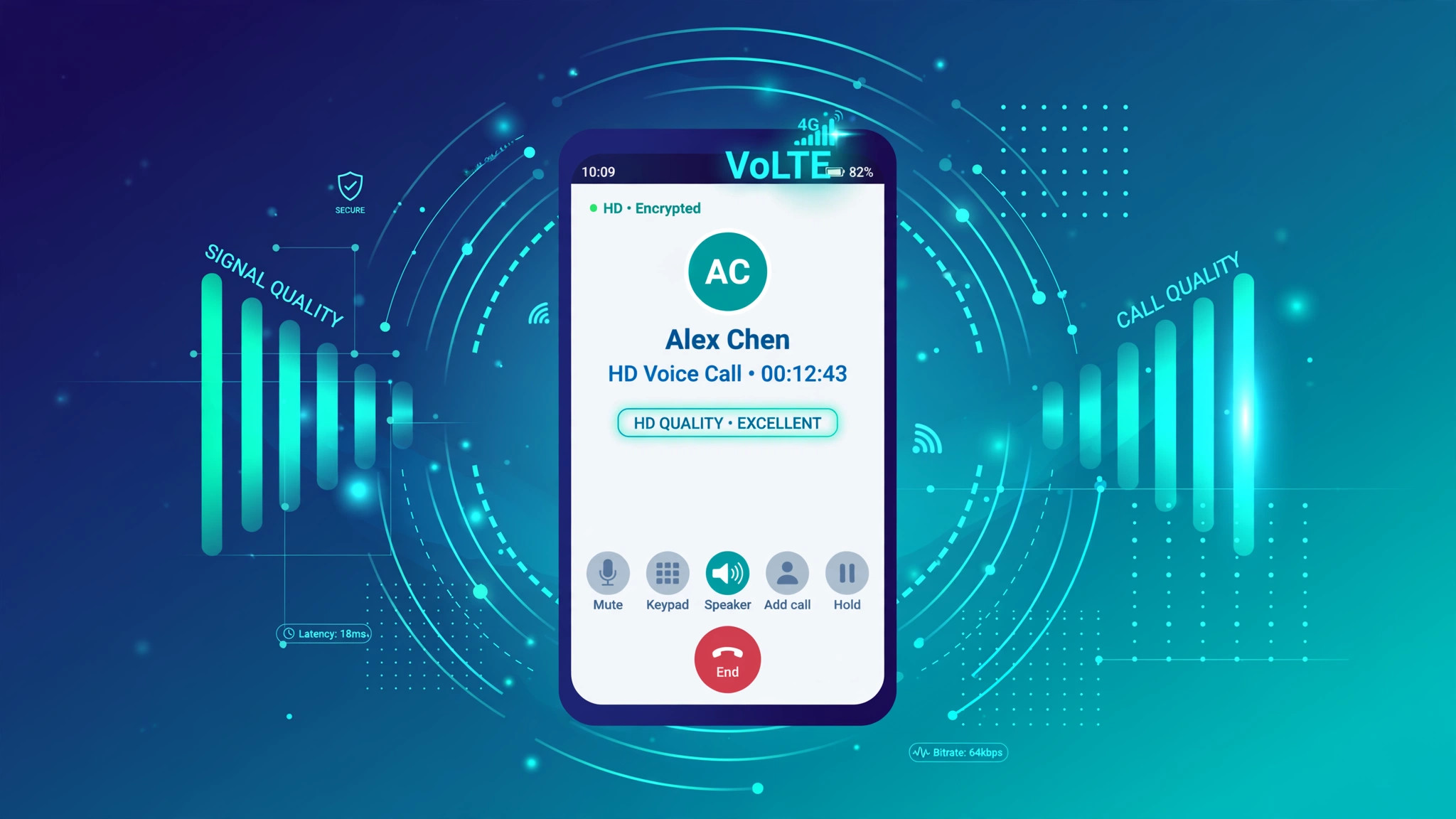
What VoLTE Is (and Why It Fixes Those Problems)
VoLTE stands for Voice over LTE. To understand why it matters, you need to know what your phone does today when you make a normal call. Traditional mobile calls run on old "circuit-switched" 2G/3G networks — essentially a dedicated line, like a landline from the 1990s. Every time you dial, your phone drops from 4G down to 3G or 2G (engineers call this "circuit-switched fallback"), the call happens there, and when you hang up, the phone hops back up to 4G. That hop is the source of nearly every call annoyance in Pakistan:
- Slow call setup: several seconds of silence while the network switches your phone between generations.
- Robotic, tinny voice: old 2G/3G voice codecs squeeze speech into a narrow band, which is why calls sound like calls and WhatsApp voice notes sound better.
- No internet during calls: 2G/3G cannot carry data and voice properly at the same time, so your data dies for the whole call.
- Dropped calls: every network switch is a chance for the handover to fail, especially at the edge of coverage.
VoLTE moves voice onto the 4G LTE data network as ordinary data packets, using a system called IMS (IP Multimedia Subsystem). The phone never leaves 4G. The practical benefits: HD voice (a wideband codec with roughly two to three times the audio range of old calls — you will hear the difference on the first call), call setup in about one to two seconds, voice and data working simultaneously, and slightly better battery life because the radio stops hopping between networks for every call.
One honest caveat: the full HD effect is best when both callers are on VoLTE-capable setups. A VoLTE call to a 2G phone still connects perfectly fine — it just sounds like a normal call, not an HD one.
The 4 Things You Need Before VoLTE Works
VoLTE is a handshake between your phone, your SIM, your carrier and the signal around you. All four of these must be in place:
- A VoLTE-capable phone. Any mainstream phone sold in Pakistan from roughly 2018 onward supports it. The common exception is imported or parallel-import phones — some lack the IMS configuration for Pakistani carriers and will never register VoLTE no matter what you toggle. While you are checking the phone, it is worth confirming it is properly registered too — our PTA approval check guide walks through it.
- Carrier support. As of 2026, all four major networks in Pakistan offer VoLTE: Telenor launched Pakistan's first VoLTE network back in 2019, Zong launched its service in October 2023 starting with Karachi, Lahore, Islamabad, Rawalpindi and Peshawar and has been expanding since, Jazz offers it on its 4G network, and Ufone 4G introduced HD voice and video calling over 4G. Details per carrier are in the section below.
- 4G LTE coverage where you are. VoLTE cannot work where there is no LTE signal — in a dead zone your phone falls back to 2G/3G automatically, and no setting changes that. This is the number-one reason people enable VoLTE and "nothing happens."
- A 4G-enabled SIM (USIM). Very old SIM cards from the 3G era may not support VoLTE provisioning. All four operators offer a free SIM replacement at their service centers — your number stays exactly the same.
The quick mental checklist: phone supports it + carrier has enabled it on your number + you have 4G signal + a reasonably modern SIM = it should just work.
How to Check If Your Phone Supports VoLTE
There are three ways to check, from quickest to most thorough:
Method 1: the hidden phone-info menu. Open your dialer and type *#*#4636#*#* (think *#*#INFO#*#*). Tap "Phone information", then the three-dot menu in the corner and choose "IMS service status". Two lines matter: "IMS Registration: Registered" and "Voice over LTE: Available". If IMS says "Not registered" or VoLTE says "Unavailable", the network side is not provisioned yet (see the carrier section below), or the phone lacks your carrier's profile. Note that this code does not work on every phone — some brands sold in Pakistan block it, so if nothing happens, use Method 2.
Method 2: look in Settings. The toggle lives in slightly different places per brand: Samsung: Settings > Connections > Mobile networks — look for "VoLTE calls". Xiaomi/Redmi/Poco: Settings > SIM cards & mobile networks > tap your SIM — look for "Use VoLTE". Infinix/Tecno/itel: Settings > SIM & network settings > your SIM — "VoLTE". Pixel/stock Android: Settings > Network & internet > SIMs > your SIM. Oppo/Realme/Vivo: Settings > Mobile network > your SIM > "VoLTE calls". If the switch exists, your phone supports it.
Method 3: check the lists. Carriers keep lists of tested models — Zong publishes a compatible-devices list on its website — and the manufacturer's spec page for your model will mention VoLTE support.
If the toggle simply is not there, do not panic yet: many phones hide the switch when the inserted SIM's carrier profile does not include VoLTE, or when the carrier has not provisioned it on your number. Work through the carrier section first before concluding the phone cannot do it.
How to Turn On VoLTE on Android (Brand by Brand)
Once you have confirmed support, switching it on takes under a minute. The exact path depends on your brand:
- Samsung (One UI): Settings > Connections > Mobile networks > VoLTE calls → ON. On dual-SIM phones you will see the option per SIM — enable it for the SIM you call from.
- Xiaomi / Redmi / Poco (HyperOS/MIUI): Settings > SIM cards & mobile networks > tap the SIM > turn on "Use VoLTE". On older MIUI the same switch was called "Enhanced 4G LTE Mode" — it is the same thing.
- Infinix / Tecno / itel: Settings > SIM & network settings > tap your SIM > toggle "VoLTE" on.
- Google Pixel / stock Android: Settings > Network & internet > SIMs > your SIM > turn on the VoLTE / "4G calling" toggle. On some Pixels the toggle only appears after the carrier enables it on their side — if it is missing, skip to the carrier section and call your helpline.
- Oppo / Realme / Vivo: Settings > Mobile network (or "SIM card & mobile data") > your SIM > "VoLTE calls" → ON.
After switching it on, give the phone a minute to register, then make a test call. Many phones show a small "VoLTE" or "HD" icon in the status bar during the call, and the status bar keeps showing 4G/LTE instead of dropping to H or 3G — that is your confirmation it is working. If the 4G icon still vanishes during calls or data dies, our mobile data troubleshooting guide covers the APN and network resets that fix it.
Carrier-by-Carrier Activation: Jazz, Zong, Telenor & Ufone
The honest headline first: for most people in 2026 there is no magic code to dial. Once your SIM is eligible and your phone supports the carrier's VoLTE profile, the carrier enables it automatically and the toggle simply appears. What follows is what to do per network when it does not.
Jazz (helpline 111): Jazz offers VoLTE on its 4G network. We could not verify any public USSD activation code for it, so the reliable routes are: (1) the MyJazz app — check your account and services settings; (2) dial 111 and ask the agent to confirm VoLTE is provisioned on your SIM. Users on Samsung forums report that asking the agent to deactivate and then reactivate VoLTE fixed stubborn cases, with a confirmation SMS arriving while still on the call. If the agent says your SIM is too old, the free SIM swap at a Jazz service center is the fix.
Zong (helpline 310): Zong's VoLTE is confirmed live since October 2023 — launched first in Karachi, Lahore, Islamabad, Rawalpindi and Peshawar, and expanding since. Zong's own requirements: a 4G-enabled SIM, a VoLTE-compatible handset (check the compatible-devices list on zong.com.pk), and updated phone software. Activate through the My Zong App or dial 310 and ask for VoLTE provisioning on your number.
Telenor (helpline 345): Telenor launched Pakistan's first VoLTE network back in 2019, starting in Islamabad and expanding nationwide. Enable the toggle on your phone using the brand paths above; if IMS will not register, the MyTelenor app or 345 can check whether the feature is active on your SIM.
Ufone (helpline 333): Ufone 4G introduced VoLTE for HD voice and video calling over its 4G network. Same routine — the My Ufone app or 333 to confirm the service is enabled on your number.
Two warnings that apply to all four: if a helpline agent quotes you a USSD activation code, by all means try it — but treat activation codes from random YouTube or TikTok videos as unconfirmed, because as of 2026 the carriers' official routes are their apps and helplines. And never pay anyone for "VoLTE activation" — it is a free network feature, and anyone charging for it is running a scam.
VoLTE Enabled but Not Working? Troubleshooting Checklist
The toggle is on but calls still drop to 3G, or IMS refuses to register. Work through this list in order:
- Are you actually on 4G? Check the status bar: if it shows H, 3G or 2G at your location, no setting will conjure VoLTE. VoLTE needs LTE signal, full stop.
- Preferred network type. Go to Settings > (Connections / SIM) > Mobile networks > Preferred network type and set it to "4G/3G/2G (auto)" or "LTE preferred". If it is locked to 3G/2G only, VoLTE cannot engage.
- Reset the APN. A broken APN kills mobile data, and IMS registration rides on the data connection. Go to Settings > Mobile networks > Access Point Names > three dots > Reset to default. Our mobile data fix guide goes deeper if data itself is broken.
- Airplane-mode toggle. Turn airplane mode ON for 30 seconds, then OFF. This forces the phone to re-register with the network and often unsticks a frozen IMS registration.
- Restart the phone. Yes, really — IMS registration happens at boot, and a surprising number of "VoLTE won't work" cases end here.
- The dual-SIM gotcha. On many phones VoLTE works on only one SIM at a time — typically the SIM set for mobile data, or the one in slot 1. Try setting your calling SIM as the data SIM, or move it to slot 1.
- Update the phone's software. Carriers push VoLTE profile updates inside system updates (Zong explicitly lists an updated OS as a requirement). Check Settings > Software update.
- Clear the cache of system carrier apps. If VoLTE broke right after an update, clearing the cache of apps like "Carrier Services" sometimes helps — our cache-clearing guide shows the safe way to do it without touching your data.
- Ask the carrier to re-provision. If the toggle is missing entirely, some brands hide it until the carrier provisions the service. Call your helpline (111, 310, 345 or 333) and ask them to deactivate and reactivate VoLTE on your number — users report this fixes cases nothing else would.
- Imported phone? Some parallel-import units lack Pakistani carrier IMS profiles and will never show VoLTE. Check your model against the carrier's compatible-device list before spending more time on it — and confirm the phone is properly registered with our PTA check guide.
VoLTE vs Wi-Fi Calling: What's the Difference?
They are cousins, not twins. VoLTE carries your call over the carrier's 4G network — it works anywhere you have LTE signal and needs no Wi-Fi at all. Wi-Fi Calling (VoWiFi) carries the call over any Wi-Fi connection instead — genuinely useful in basements, concrete buildings, or rural spots where the carrier's signal is weak but Wi-Fi is strong. Both deliver HD-quality voice, and on many phones both toggles sit side by side in the Mobile networks settings.
When to use which: make VoLTE your everyday default — it is the more widely supported of the two in Pakistan. Switch on Wi-Fi Calling as a backup if your home or office has poor cellular coverage but good Wi-Fi. One honest note: Wi-Fi Calling availability in Pakistan is patchier than VoLTE and depends on both your carrier and your phone model, so VoLTE is the safer bet to set up first. And while we are on the subject of staying connected during calls — because data stays live on VoLTE, your mobile hotspot keeps working while you talk, which is a genuine upgrade for anyone who tethers a laptop during long calls.
Does VoLTE Cost Extra or Use More Data?
Billing: VoLTE calls are billed exactly like normal calls — they come out of your call-bundle minutes or at your package's per-minute rate. Yes, the voice technically travels as data, but carriers do not deduct it from your internet MBs. In short: there is no separate "VoLTE charge." None of the big four advertise a VoLTE activation or usage fee — though as with any package detail, confirm with your carrier if you are ever unsure.
Data use: even if it were metered, a VoLTE call uses roughly 1 MB per minute — trivial next to a single YouTube video. It will not dent your data package.
Battery: usually slightly better, because the radio stays camped on LTE instead of hopping between 4G and 2G/3G for every single call — though HD voice encoding uses a touch more processing power. Net effect: most people notice no difference, or marginally better battery life. If your battery is draining fast, the culprit is almost never VoLTE — our battery life guide will find the real ones. And if the phone itself feels sluggish enough that calls and apps stutter, our speed-up guide is the place to start.
FAQ
Will VoLTE work on my older Android phone?
Most phones sold in Pakistan from about 2018 onward support VoLTE — if your phone is in that range, check the *#*#4636#*#* phone-info menu or the settings paths in this guide. Phones older than that, or some parallel-import models without Pakistani carrier profiles, may simply lack the feature. If your phone can't do it, your calls still work fine on 2G/3G — you just miss the HD quality and simultaneous data.
Is VoLTE free, or does it cost extra?
VoLTE itself is free — calls are billed from your normal call minutes or package rates, not from your data bundle. None of the four major Pakistani carriers advertise a separate VoLTE activation or usage fee. If a helpline agent or retailer ever tries to charge you for activating it, that is not a legitimate fee.
My calls got worse after turning on VoLTE. Why?
This happens in areas with weak or borderline 4G: the phone clings to a fading LTE signal for voice instead of dropping to a stronger 2G/3G tower, so calls sound choppy. If that describes your area, turn VoLTE off until coverage improves — or enable Wi-Fi Calling if your phone and carrier support it. In strong 4G areas, VoLTE should sound clearly better.
Does VoLTE work with dual SIM phones?
Usually yes, but with caveats: many phones support VoLTE on only one SIM at a time — typically the SIM set for mobile data, or the one in slot 1. If the toggle is missing on your second SIM, set your calling SIM as the data SIM or move it to slot 1. A few older dual-SIM models don't support dual VoLTE standby at all.
Can I make video calls over VoLTE?
Yes — VoLTE also enables native video calling (sometimes called ViLTE), but both callers must be on VoLTE with compatible phones, typically on the same carrier's network. If either side falls back to 2G/3G, the video option disappears. Ufone 4G specifically advertises HD voice and video calling over 4G as part of its VoLTE offering.
My phone is PTA-approved but VoLTE still won't activate. Why?
PTA approval and VoLTE support are separate things. Approval means the phone is legally registered; VoLTE needs your carrier to have your phone model in its tested and provisioned list, plus IMS registration on the network. Parallel-import phones often fail here. Check your carrier's compatible-device list, make sure the software is updated, and call the helpline to have them re-provision the service on your SIM.