 Auraz Tech
How to Turn On Earthquake Alerts on Android in Pakistan (2026): Get Seconds of Warning Before the Shaking
Pakistan sits on some of the most earthquake-prone ground in South Asia. The country lies near the collision zone of the Indian and Eurasian tectonic plates, which is why tremors in Islamabad, Peshawar, Quetta, Muzaffarabad and the northern areas are not rare events — they are a recurring fact of life. Most of the time the shaking is mild and passes in seconds. Sometimes it is not, and in those moments the difference between being caught completely by surprise and having even ten or twenty seconds of warning is the difference between freezing in a dangerous spot and getting under a table.
That warning is something your Android phone can already give you, for free, with no app to install. The Android Earthquake Alerts System is built into Google Play services on most modern Android phones. It turns the accelerometers in millions of phones into a giant detection network: when phones near an epicentre sense shaking, Google analyses the pattern, estimates the location and magnitude, and sends an alert to phones further away — often before the strongest shaking reaches them. It is not a prediction, and it will never give you minutes of warning. But a few seconds is enough to drop, cover and hold on, and that is the single most effective thing an ordinary person can do in an earthquake.
This guide shows you how to switch earthquake alerts on in Pakistan, the exact settings paths for Samsung, Xiaomi, Infinix, Tecno, Pixel and other brands, what the two kinds of alert mean, what to do the moment one arrives, and what to do if the option is missing from your phone entirely. It takes about two minutes, costs nothing, and is worth doing tonight — earthquakes do not book appointments, and the night-time ones are exactly when a loud phone alert matters most.
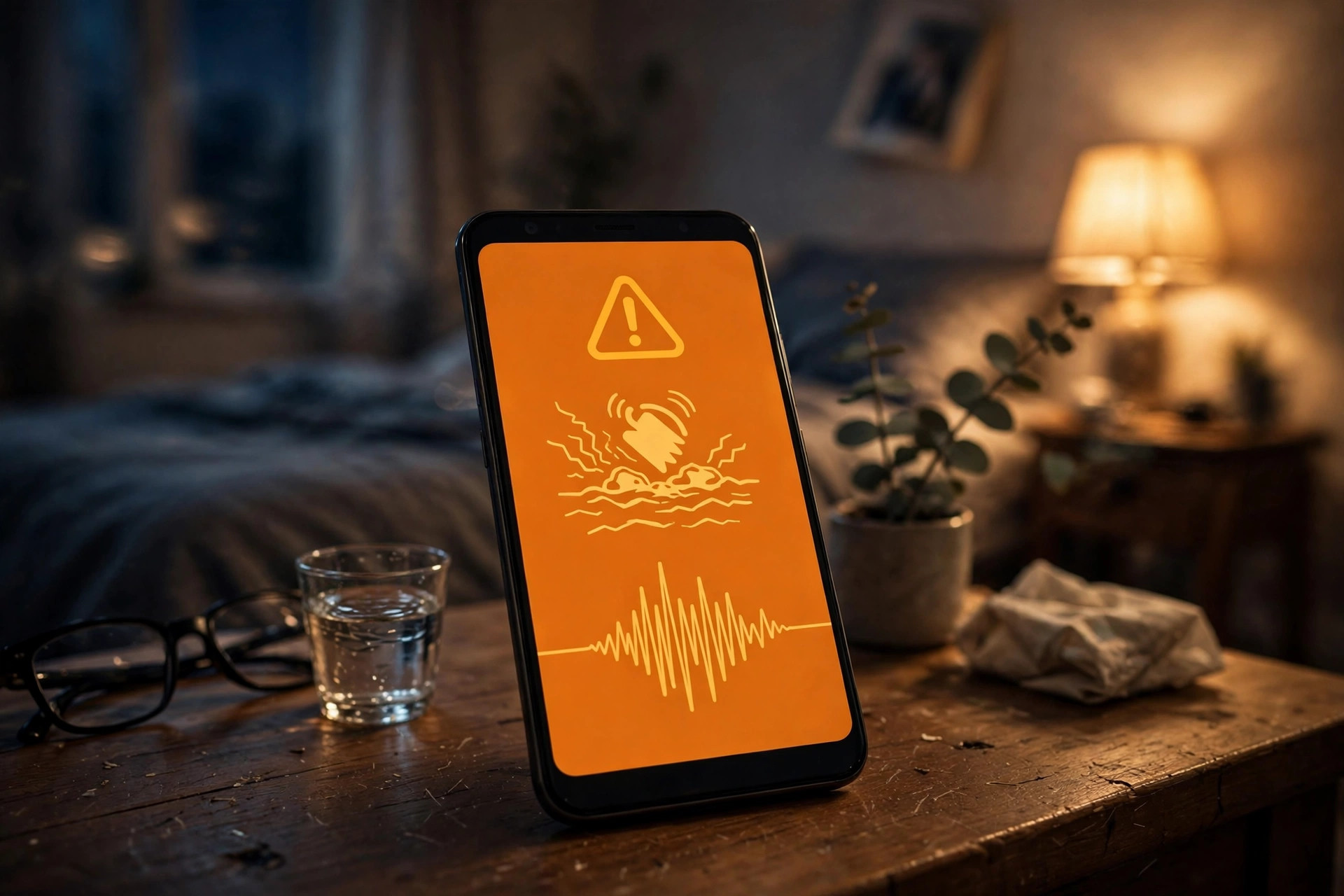
What Android Earthquake Alerts Are (and Are Not)
The Android Earthquake Alerts System works on a simple but clever idea. Every Android phone contains an accelerometer — the same sensor that rotates your screen and counts your steps. When an earthquake starts, phones near the epicentre feel the first, fast-moving seismic waves and report that motion to Google, which checks whether many phones in the same area are shaking at once. If the pattern matches an earthquake rather than, say, a truck driving past, Google sends alerts to phones in the wider region, ahead of the slower, stronger waves that cause damage.
Two kinds of alert exist, and knowing the difference stops panic when one arrives:
- Be Aware alert: for light shaking that you may feel but that is unlikely to cause damage. The phone shows a notification with the estimated magnitude and distance. The advice is simple — be aware, stay calm, and be ready in case the shaking strengthens or an aftershock follows.
- Take Action alert: for moderate to strong shaking that could be dangerous. This one is loud and full-screen, designed to wake you and grab your attention, and it tells you to Drop, Cover and Hold On. If you only ever see one kind of alert, it will probably be this one — and it means act immediately, not after finishing what you are doing.
Just as important is what the system is not. It is not a prediction system: nobody can predict an earthquake days or hours ahead, and any app, video or WhatsApp forward claiming to predict the date and time of the next big one is a scam. The alert can only be sent after an earthquake has already started, which is why the warning is measured in seconds, and why people very close to the epicentre may feel the shaking at the same moment the alert arrives, or even before it. It is also not a substitute for safe buildings and safe behaviour — no alert helps if you run down a staircase during the shaking or stand under a falling balcony. Think of it as a head start, not a guarantee.
Before You Switch It On: 4 Things the System Needs
The toggle is useless without the four things behind it. Check these first and the setup takes one minute; skip them and you will wonder why nothing ever arrives:
- An Android phone with Google Play services. The alerts system is part of Play services, not a separate app. Most phones sold in Pakistan from Samsung, Xiaomi, Infinix, Tecno, Oppo, Realme, Vivo and Google itself carry it. Phones without Google services — some imported Huawei models, for example — cannot use this system and need a third-party app instead (see the backup section below).
- Location switched on. The system must know roughly where you are to decide whether you are in the affected area and how strong the shaking will be at your location. Without location, no alert can be targeted at you. If you normally keep location off for privacy, this is the one feature worth making an exception for — and our GPS troubleshooting guide helps if location itself is misbehaving.
- An internet connection. Alerts arrive from Google servers over mobile data or Wi-Fi. A phone with no data balance, no Wi-Fi and no signal cannot receive an alert, which is one more reason to keep at least a small data bundle active — the alert itself uses almost no data.
- Up-to-date software. Both your phone software and Google Play services should be current. Earthquake alert availability and accuracy have improved steadily since the system launched, and older builds may not show the toggle at all. Our Android update guide walks through checking for updates on every major brand.
One more habit matters more than any setting: keep the phone charged and within earshot overnight. The most dangerous earthquakes are the ones that strike while a household is asleep, and an alert on a dead phone in another room helps nobody.
How to Turn On Earthquake Alerts on Android (Step by Step)
On most Android phones running recent software, the switch lives in the same place:
- Open Settings.
- Tap Safety & emergency (on some phones this is called Safety and emergency, or sits under Location and then Safety).
- Tap Earthquake alerts.
- Turn the switch ON. If the phone asks for location permission for this feature, allow it — the system cannot work without it.
- Leave Location switched on in your main settings, and make sure the phone is not blocking Google Play services from running in the background (aggressive battery savers on some brands can delay alerts).
That is the whole setup. There is nothing else to configure: no phone number to register, no city to select, no account to create. The system follows your location automatically, so it keeps working when you travel from Karachi to Murree or from Lahore to Swat without you touching a setting.
If you cannot find Safety and emergency, use the search box at the top of the Settings app and type earthquake. On many phones this jumps straight to the toggle even when the menu path is different. Searching first saves a lot of digging through nested menus, and it is the fastest way to confirm whether your phone has the feature at all.
Brand-by-Brand Settings Paths
Android menus are not identical across brands, and the earthquake toggle moves around. Here are the paths that work on the phones most commonly used in Pakistan:
- Samsung (One UI): Settings > Safety and emergency > Earthquake alerts → ON. On older One UI versions the option may sit under Settings > Location > Location services > Earthquake alerts. If it is absent entirely, update the phone software first — Samsung has added the feature to more models through updates.
- Xiaomi / Redmi / Poco (HyperOS / MIUI): Settings > Safety & emergency > Earthquake alerts → ON. Xiaomi phones are also the most likely to delay alerts with battery optimisation, so check Settings > Battery and make sure Google Play services is not set to restricted.
- Infinix / Tecno / itel: Settings > Safety & emergency > Earthquake alerts → ON. On older XOS and HiOS builds the menu may be labelled Emergency, and the toggle may only appear after a system update — these brands have rolled the feature out gradually.
- Google Pixel / stock Android: Settings > Safety & emergency > Earthquake alerts → ON. Pixels have the most complete implementation, including the full-screen Take Action alert, and the toggle is present on every recent model.
- Oppo / Realme / Vivo: Settings > Safety & emergency > Earthquake alerts → ON, or use the Settings search box for earthquake if the menu label differs on your ColorOS, Realme UI or Funtouch OS version.
After switching it on, you cannot test it with a button — Google does not offer a test alert, and that is deliberate, since a test that trains people to ignore the real sound would be dangerous. The confirmation that it is working is the toggle itself staying on, location on, and Play services up to date. Treat the first real alert as the test, and make sure everyone in the house knows what it sounds like and what to do — a warning only helps if the response is already rehearsed.
What to Do the Moment an Alert Arrives
Seconds matter, so the response has to be automatic. When a Take Action alert sounds, do this and nothing else first:
- Drop to your hands and knees, so the shaking cannot knock you down.
- Cover your head and neck with your arms, and get under a sturdy table or desk if one is within immediate reach. Do not cross the room to find one.
- Hold on to the table leg or furniture until the shaking stops completely.
What not to do is just as important. Do not run outside during the shaking — most earthquake injuries happen from falling debris near building exits, not from buildings collapsing outright. Do not use lifts. Do not stand in a doorway: that old advice comes from a time when door frames were load-bearing, and in modern Pakistani construction a doorway is no stronger than any other part of the room. Stay away from windows, glass, bookcases and anything heavy mounted on a wall.
When the shaking stops, the danger is not necessarily over. Check yourself and others for injuries, watch for aftershocks (smaller quakes that often follow within minutes or hours), avoid damaged buildings until they are inspected, and be careful of broken glass, fallen power lines and gas smells. If you smell gas or suspect a leak, open windows, do not switch electrical appliances on or off, and leave the building. For the wider emergency setup — SOS calls, emergency contacts and medical information on the lock screen — our emergency SOS guide covers the rest.
If the Earthquake Alerts Option Is Missing
Not every phone shows the toggle, and that does not always mean something is wrong with your phone. Work through these in order:
- Search Settings first. Type earthquake in the Settings search box. Menu labels differ by brand and Android version, and the option is often present but filed somewhere unexpected.
- Update everything. Check for a system update and update Google Play services from the Play Store. A phone that has not been updated in a year may simply predate the feature on that model.
- Check location. Make sure Location is switched on and set to accurate mode (GPS plus Wi-Fi and mobile networks). The toggle can stay hidden when location services are fully off.
- Check the phone's origin. Parallel-import phones and models without Google Play services cannot use the Android alerts system at all. Confirm the phone is a genuine, properly registered unit with our PTA approval check guide — unregistered phones can also face network-level restrictions that have nothing to do with this setting.
- Use a backup app. If your phone genuinely does not support the built-in system, install a reputable earthquake app from the Play Store — Earthquake Network and MyShake are the two best-known options — and grant them the location and notification permissions they ask for. A third-party app is better than no warning at all, but check its battery and permission settings so it is not killed in the background.
- Follow the Pakistan Meteorological Department. The PMD publishes earthquake reports for Pakistan, and its updates are the authoritative local source after an event. An app alert warns you; the PMD tells you what actually happened, where, and how strong it was.
One warning that applies to the whole topic: never trust social media posts, forwarded messages or videos that claim to predict an earthquake. Pakistan sees these rumours after every noticeable tremor, and they cause real panic — including people rushing out of buildings at night, which is itself dangerous. The only legitimate warnings are the built-in Android alerts, established earthquake apps, and official sources like the PMD. If a prediction did not come from one of those, ignore it.
Setting It Up for the Whole Family
An alert on one phone protects one person. A household is protected when every phone has it on, so spend five minutes going through the family phones tonight — especially the phones of elderly parents, who may have the feature buried in settings they never open, and children's phones, where the response to an alert should be practised, not just switched on.
- Parents and grandparents: switch the toggle on for them, show them what the alert looks like, and rehearse Drop, Cover and Hold On once. The rehearsal matters more than the setting: a loud alarm at 2 a.m. helps only if the person hearing it knows it means get under the table, not get out of bed and look around.
- Children: explain that the alert is a helper, not something to fear, and that the rule is the same at school and at home — under the desk, hold on, wait for the teacher or an adult.
- Everyone: agree on a meeting point outside the house after a strong quake, and keep a small emergency kit — water, torch, basic medicines, copies of important documents — somewhere accessible. Phones die, networks jam after major quakes, and the plan that does not depend on a phone is the one that still works when the phone does not.
Also worth doing in the same sitting: make sure VoLTE is switched on so calls keep working when the network is congested after a quake, and keep the phone charged overnight — a phone at 2 percent when the shaking starts is the same as no phone at all.
Limitations Worth Knowing Honestly
Earthquake alerts are a genuinely useful safety tool, and overselling them would be worse than not mentioning them. The honest limits are these: the warning is seconds, not minutes, and it shrinks to zero the closer you are to the epicentre. Alerts depend on phones near the epicentre reporting shaking, so a quake in a sparsely populated area with few Android phones may be detected more slowly. False alerts are rare but possible — the system has occasionally warned of shaking that turned out to be something else — and the correct response to a false alert is still to take cover, because you cannot tell a false one from a real one in the first seconds. Finally, no alert system replaces earthquake-resistant construction, securing heavy furniture to walls, or knowing your building's evacuation route. The alert buys you seconds; what you do with those seconds, and the building you are standing in, decide the rest.
None of that is a reason to leave the feature off. It is free, it takes two minutes, it needs no maintenance, and it is the only warning system that reaches into almost every pocket in the country without anyone having to install or subscribe to anything. For a country as seismically active as Pakistan, that is a remarkable piece of public safety infrastructure hiding in a settings menu most people have never opened.
FAQ
Are Android earthquake alerts free?
Yes. The built-in Android Earthquake Alerts System is a free part of Google Play services: there is no subscription, no app to buy and no charge per alert. It uses a tiny amount of mobile data or Wi-Fi to receive alerts, and it works with any Pakistani SIM as long as the phone has an internet connection.
Why is the earthquake alerts option missing from my phone?
The toggle only appears on phones where Google has enabled the alerts system for that model and software build, and it needs location switched on and Google Play services up to date. Update your phone software and Play services, check Settings for Safety and emergency, and use the search box inside Settings to look for earthquake alerts before concluding your phone does not support it.
Can an earthquake alert predict an earthquake before it happens?
No. Earthquake alerts are not predictions: they detect shaking that has already started near the epicentre and warn people further away before the strongest shaking reaches them. That is why the warning is measured in seconds, and why people very close to the epicentre may feel the shaking before any alert arrives.
Will I get an earthquake alert if my phone is on silent or Do Not Disturb?
On most supported phones, earthquake alerts are treated as emergency alerts and are designed to sound even when the phone is on silent or Do Not Disturb, because a warning that stays quiet at 3 a.m. is useless. Keep the phone charged and within earshot at night, and do not rely on a single device for the whole household.
What should I do when an earthquake alert arrives?
Drop to the ground, take cover under a sturdy table or desk, and hold on until the shaking stops. Do not run outside or stand in a doorway during the shaking, stay away from windows and heavy objects that can fall, and after the shaking stops check yourself and others for injuries, watch for aftershocks, and avoid damaged buildings until they are checked.
Do earthquake alerts work without mobile data or Wi-Fi?
No. The phone needs an internet connection, either mobile data or Wi-Fi, to receive the alert from Google servers, and it needs location on so the system knows whether you are in the affected area. Without data and location, the alert cannot reach you, which is why keeping a small data balance and leaving location on matters.